The AI chatbot plugin built for WordPress
Install from the Plugin Directory, click Connect, and your AI chatbot is live in under a minute. No theme editing, no code, no API keys to copy-paste.
< 1 min
from plugin install to live chatbot
24/7
automated answers for your visitors
65–85%
of visitor questions answered automatically
From plugin install to live chatbot in under a minute
No theme editing. No API keys to find. No developer required.
Install the AnswerMage plugin
Search "AnswerMage" in Plugins → Add New, or install directly from the WordPress Plugin Directory. One click — no file uploads, no FTP.
Click "Connect with AnswerMage"
Go to Settings → AnswerMage and click Connect. Log in or create a free account — your chatbot is set up automatically for your site.
Your chatbot is live
The widget appears on every page of your site immediately. Go to your dashboard to train it on your content, customize the look, and watch it answer questions.
Test every answer before your visitors see it
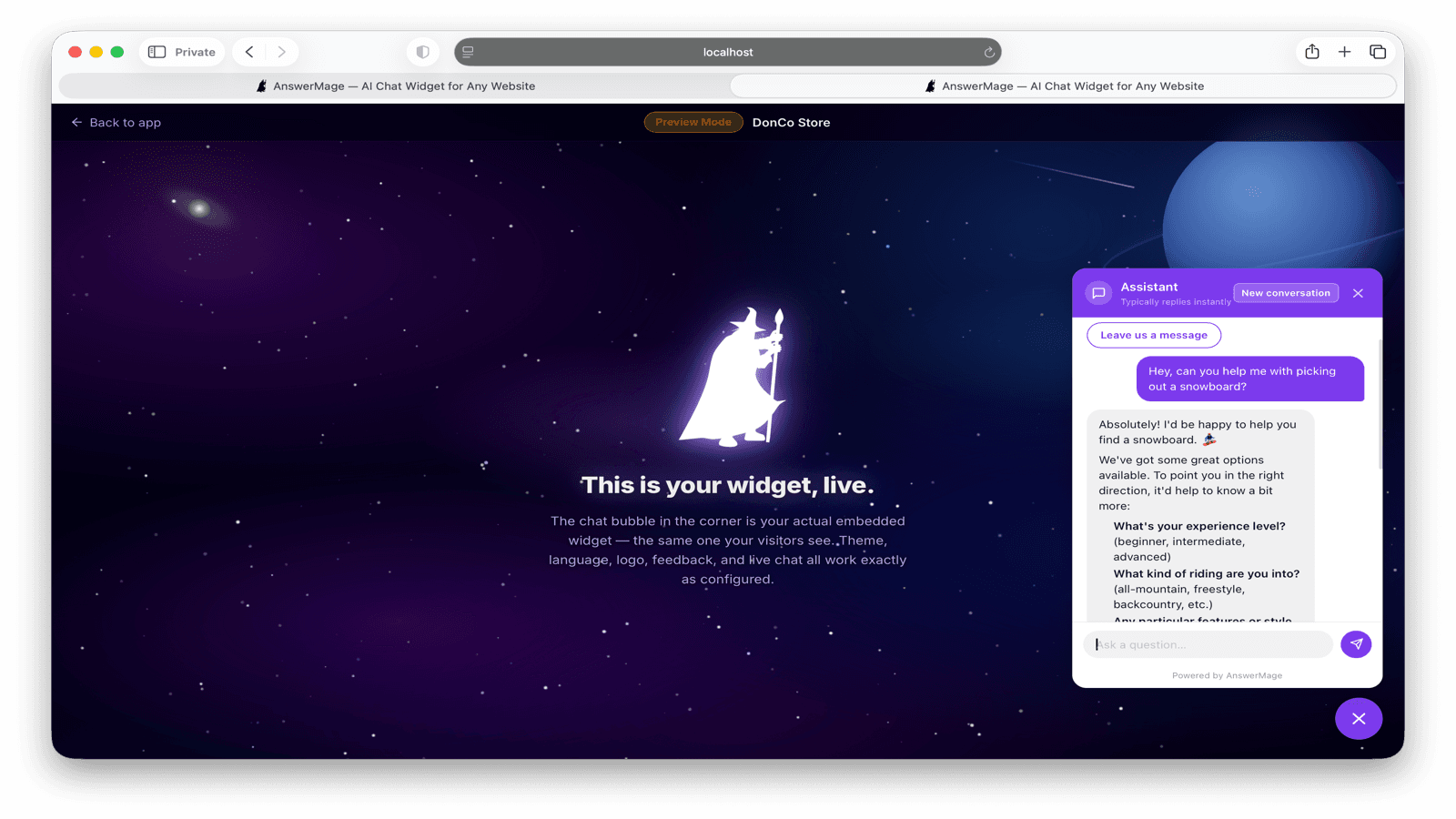
After connecting, AnswerMage scrapes your site and trains the chatbot on your content. Use the private preview to ask your toughest questions and verify every answer before the widget goes live. Share the preview link with your team.
- Ask real questions about your pages and products
- See exactly what visitors will see
- Fine-tune answers from your dashboard
- Go live only when you're confident
Everything you need, in one place
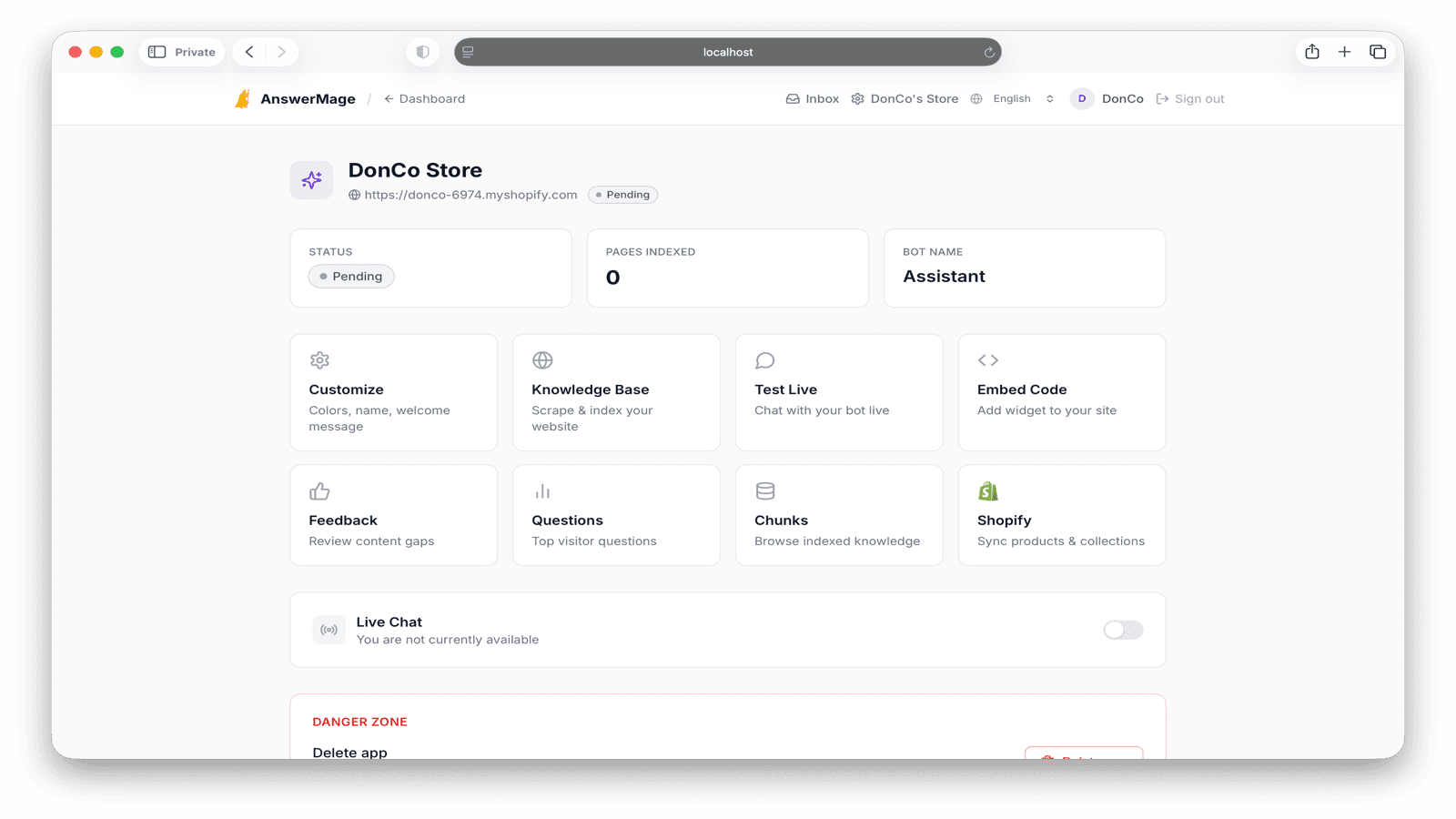
Your AnswerMage dashboard lets you customize the widget, scrape new content, see every question visitors ask, and spot the gaps in your site's answers — all without touching WordPress.
- Customize widget color, name & greeting
- Scrape pages, posts & WooCommerce products
- Review every question & answer in your history
- Identify content gaps and missing answers
Why WordPress sites choose AnswerMage
Lightweight, fast, and trained on your actual content — not generic AI fluff.
Works with every WordPress theme
Classic themes, block themes, Elementor, Divi, Beaver Builder — AnswerMage installs once and works everywhere.
WooCommerce-ready out of the box
Train on your product pages, categories, and policies. Visitors get instant answers about pricing, variants, shipping, and returns.
Zero impact on page speed
The widget loads asynchronously after your content. PageSpeed score stays clean. Compatible with WP Rocket and LiteSpeed Cache.
Trained on your actual content
AnswerMage scrapes your pages, posts, WooCommerce products, and custom post types — every piece of content becomes a potential answer.
Test every answer before going live
Private preview lets you ask your toughest questions and verify answers before any visitor sees the widget.
See what visitors are really asking
Your dashboard shows every question, satisfaction rating, and which answers fell short — direct insight into your content gaps.
Frequently asked questions
Everything you need to know about AnswerMage for WordPress.
Add a chatbot to your WordPress site today
Install the free plugin, click Connect, and your chatbot is live in under a minute. No credit card required.